
MeshShift
An offline 3D model converter and optimizer for Windows, macOS, and Linux.
MeshShift converts and optimizes 3D models locally on your computer. Its desktop application brings model conversion, level-of-detail generation, texture reprojection, and visual inspection into one workflow. No account, upload, or separate Node.js installation is required.
ℹinfo
MeshShift runs offline after installation. Model files stay on your computer, and the release page provides checksums for downloads.
What it does
- Converts models between common 3D formats for use in different tools and pipelines.
- Generates lower-detail LOD meshes with automatic or per-mesh triangle targets.
- Lets you pin important vertices so selected details survive deeper optimization levels.
- Provides input and output viewers, a wireframe option, and an LOD slider to inspect the result before export.
- Can reproject textures onto generated UV layouts.
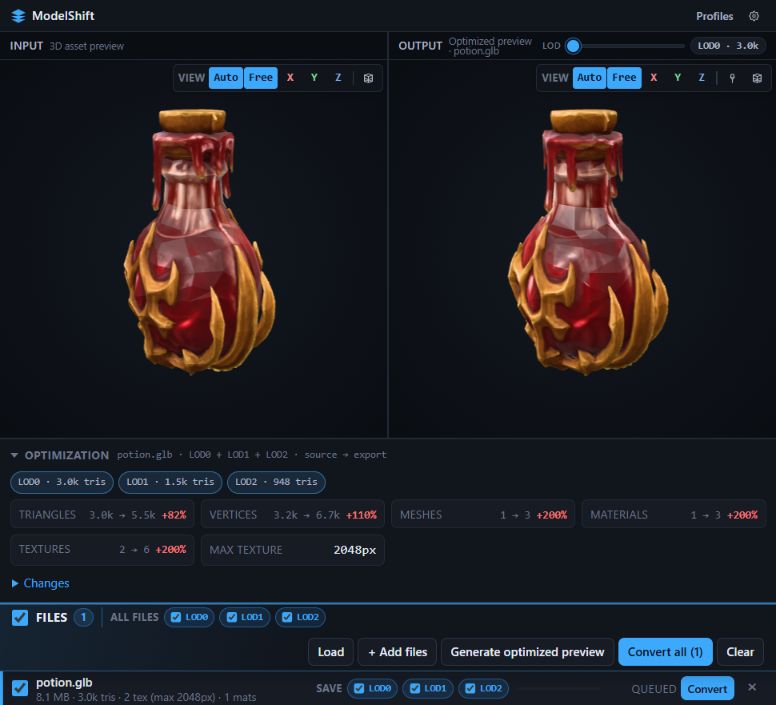
Compare the input model with the optimized preview and inspect the generated LOD report. View full-size screenshot
Supported formats
| Direction | Formats |
|---|---|
| Import | GLB, glTF, FBX, OBJ, STL, PLY, Collada (.dae), 3D Studio (.3ds) |
| Export | FBX, GLB, glTF, OBJ, STL, PLY, Collada (.dae) |
For details about how individual formats handle materials, geometry, and features, see the format and feature guide.
A typical workflow
- Choose a model and include any referenced sidecar files, such as
.bin,.mtl, and textures. - Select an export format and, if needed, configure LOD targets in Profiles.
- Generate an optimized preview, inspect the LOD levels, and pin vertices that need to retain their detail.
- Convert the queued files. MeshShift saves the output to the configured export folder.
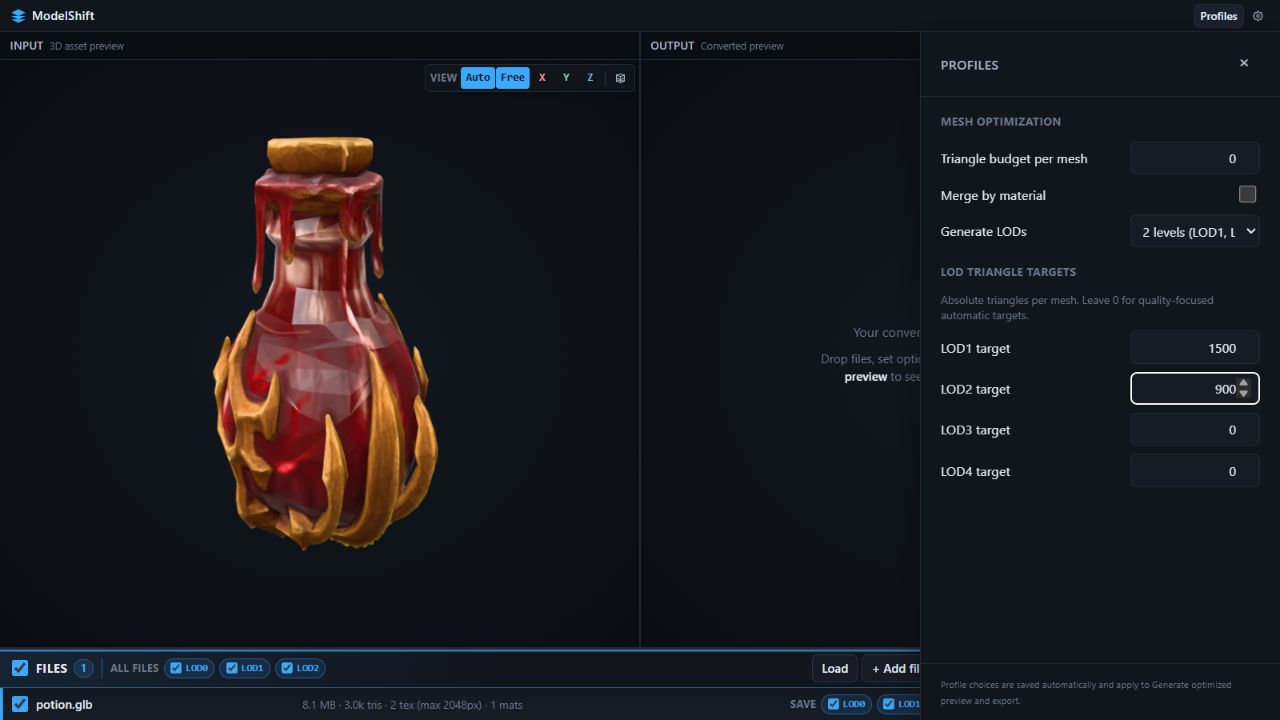
Set explicit triangle targets in Profiles or leave them at zero for automatic targets. View full-size screenshot
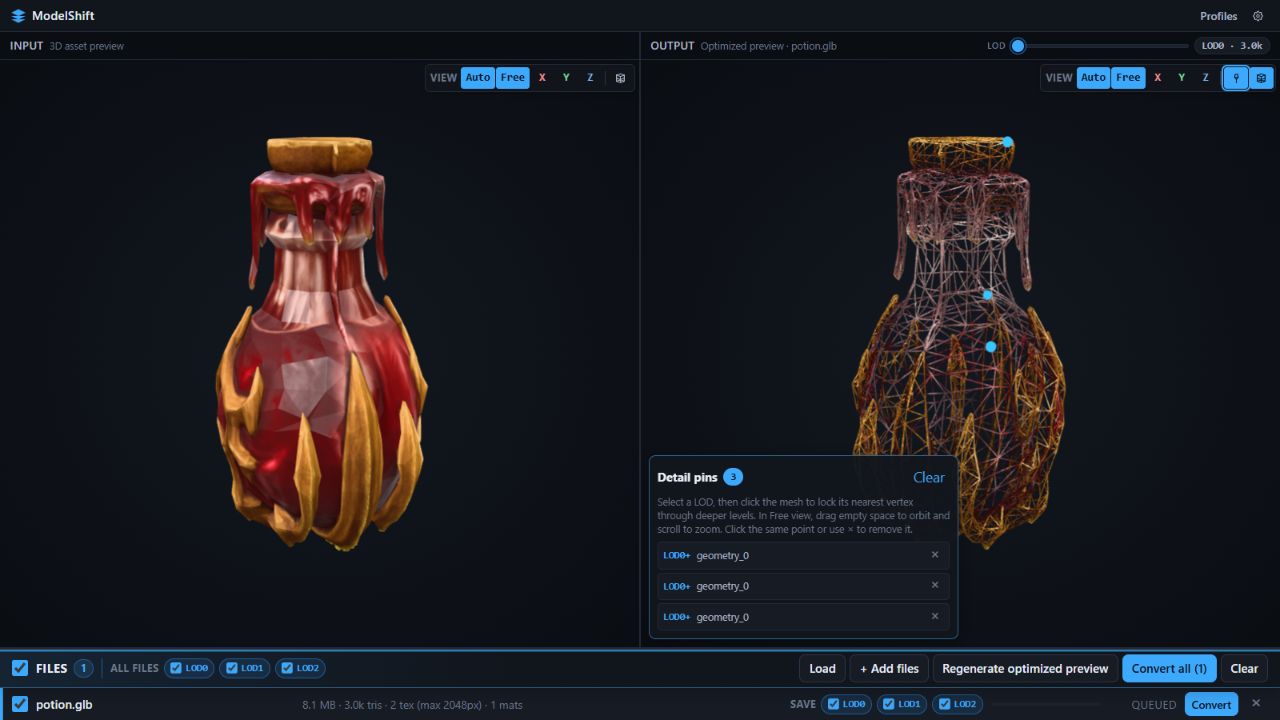
Inspect the mesh in wireframe mode and pin vertices that should retain their detail through deeper LODs. View full-size screenshot
The walkthrough explains preview generation, detail pins, wireframe inspection, and exporting step by step. The LOD and optimization guide covers the optimization controls in more depth.
Get MeshShift
Desktop downloads are available on GitHub Releases: a Windows .exe installer, macOS .dmg builds for Apple Silicon and Intel, and a Linux .AppImage. Check the release page for the current version, notes, and SHA256 checksums.
MeshShift is open source under the MIT license. Developers can start with the developer guide.